
 AI
Development
AI
Development
 Shopify
 Magento Open Source
 Adobe Commerce
 WordPress
 B2B Excellence







What is Website Maintenance?
Website maintenance needs you to perform regular evaluations while you update your site and make improvements to achieve top performance and security protection and user experience. It includes:
- Updating CMS, plugins, and frameworks
- Monitoring uptime and resolving technical issues
- Enhancing speed and performance
- Maintaining SEO health
- Securing the website against threats
In 2026, the use of Automation and AI is changing how we take care of things. The tools enable people to detect potential issues and solve them before they become actual problems.
Why Website Maintenance is Critical in 2026
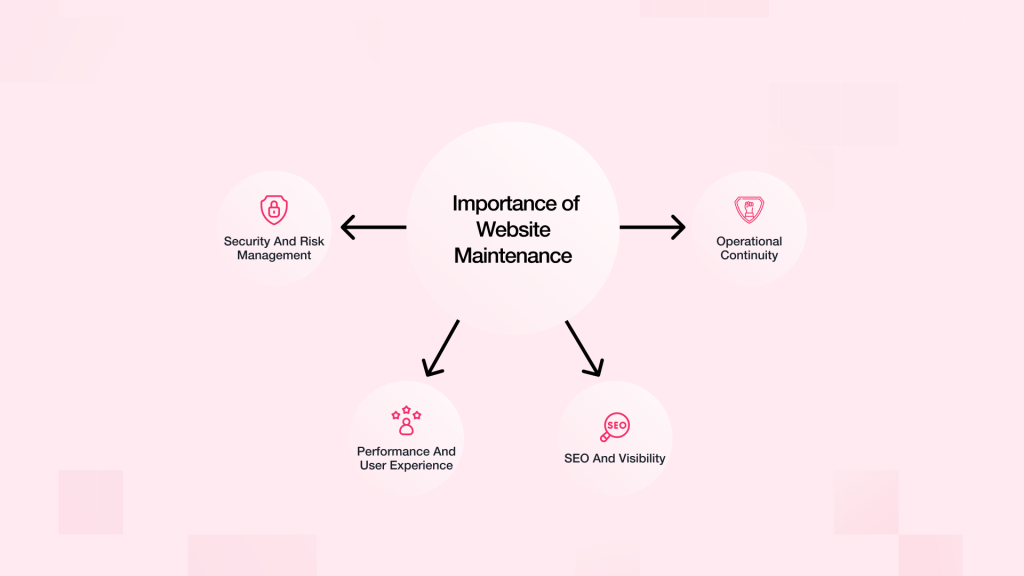
Security and Risk Management
The primary method hackers use to access systems involves the exploitation of outdated software. You need to do updates and security checks often. This helps to keep your data safe from people trying to get it.
Performance and User Experience
Users want websites to load fast and work well. The maintenance process ensures Core Web Vitals requirements are fulfilled. The system prevents visitors from exiting the website.
SEO and Visibility
Search engines like websites that are kept up to date, safe, and work well on the technical side. Site maintenance work improves your website visibility while it helps your site rank better in search results.
Operational Continuity
Regular backups and checks help keep downtime low and make sure you get back up fast if something goes wrong.
Complete Website Maintenance Checklist
1. Weekly Website Maintenance Tasks
Weekly maintenance is all about keeping an eye on things and making fast repairs.
Tasks:
- Monitor website uptime and downtime
- Find and resolve all instances of broken links which display 404 errors.
- Inspect all forms and critical system operations.
- Perform malware and security scans
- Verify backup processes
These actions help spot problems early. This way you can fix them before they get worse.
2. Monthly Website Maintenance Tasks
Monthly work keeps the system running well. It also makes sure updates are done.
Tasks:
- Update CMS, plugins, and themes
- Optimise page speed (make images smaller, caching, code minification)
- Test mobile responsiveness across devices
- Analyse traffic and user behaviour
- Optimise on-page SEO elements
At this point, it is good to work with the teams that do Website Development. This will help make sure the updates do not stop things from working as they should.
3. Quarterly Website Maintenance Tasks
Reviews every three months look at ways to make things better.
Tasks:
- Conduct a comprehensive SEO audit
- Update existing content which either fails to meet current standards or does not deliver satisfactory results.
- Enhance the user experience together with user interface design through analysis of how users interact with the website.
- Get rid of all non-operational plugins and unnecessary system components.
- Perform accessibility audits (WCAG compliance)
Doing audits every few months helps your website match what users want and what search engines look for.
4. Annual Website Maintenance Tasks
Yearly check-ups help keep everything lined up. They also help you grow well as time goes by.
Tasks:
- Perform a complete technical and SEO audit
- Refresh website design and branding
- Review hosting infrastructure and performance
- Renew domain and SSL certificates
- Update privacy policies and compliance documents
This stage is often part of bigger plans for Digital Transformation that the business could have.
Looking for a Partner in Your Digital Transformation Journey?
We Can Help!
Core Components of Website Maintenance
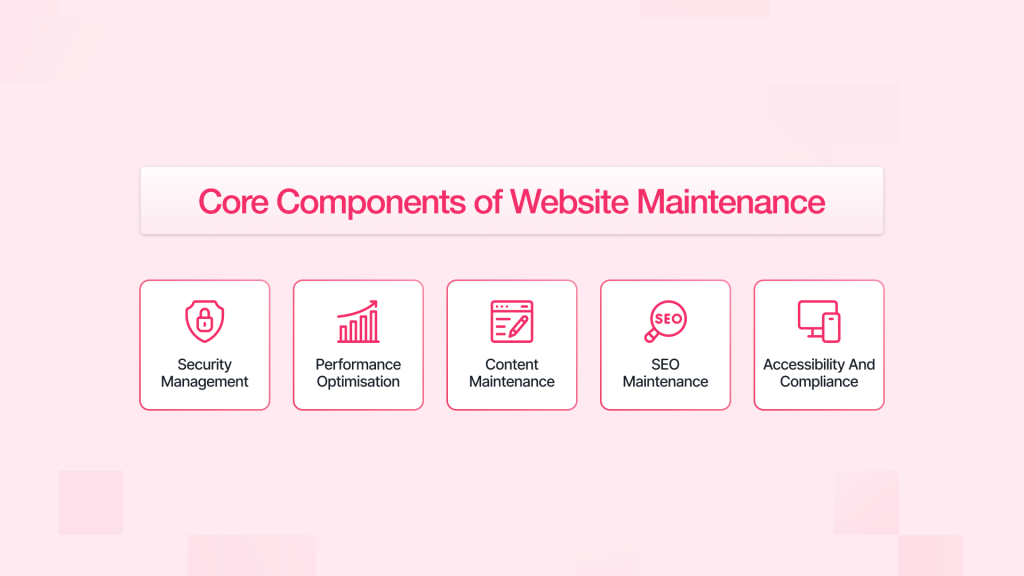
1. Security Management
Security is a continuous process.
Best Practices:
- Enable SSL encryption
- Protect your system through firewalls together with security plugins.
- Set up two-step verification for your system.
- Conduct regular vulnerability scans
2. Performance Optimisation
If your site runs quickly, people use it more. The solution enables businesses to expand their customer base who will make purchases.
Techniques:
- Use Content Delivery Networks (CDNs)
- Optimise database queries
- Use lazy loading to decrease their content delivery time.
- Reduce server response time
3. Content Maintenance
The content must stay right, useful, and work well.
Key Actions:
- Update blog posts and landing pages
- Fix broken or outdated links
- Make your content better by using keywords like Website Maintenance Checklist.
Updating content should help with bigger Digital Marketing plans. This can make people more interested and help them take action.
4. SEO Maintenance
SEO requires continuous monitoring.
Tasks:
- Track keyword rankings
- Fix all problems which affect website crawling and indexing.
- Refresh structured data according to website requirements.
- Develop better website navigation links which connect various internal pages
5. Accessibility and Compliance
Accessibility makes sure everyone can join in. It also helps follow the law.
Checklist:
- Add alt text to images
- Maintain proper heading hierarchy
- Create a system which supports users to navigate through the website using keyboard controls.
- Achieve proper colour contrast for your visual elements.
Need a Reliable Digital Marketing partner to help grow your Business?
Our Experts Can Help!
Role of Automation and AI in Website Maintenance
In 2026, Automation and AI will help make website care easy and smooth.
Key Applications:
- Real-time performance monitoring
- Automated backups and updates
- Predictive issue detection
- AI-driven SEO recommendations
These technologies help people do less work by hand. They also make sure that work in maintenance is done well.
Common Website Maintenance Mistakes
Avoid these critical errors:
- Ignoring software updates
- Failing to maintain regular backups
- Overusing plugins
- Neglecting mobile optimisation
- Skipping technical SEO checks
These problems can hurt how well something works. They can also make it less safe. Search rankings can go down because of this.
Aligning Maintenance with Business Functions
Taking care of your website should not be done alone. It needs to go along with:
- Software Development processes for steady improvement
- Business growth strategies and scalability planning
For businesses that sell things online, taking care of the website is very important in Ecommerce Web Development. Good website performance and being online all the time has a direct impact on how much money they make.
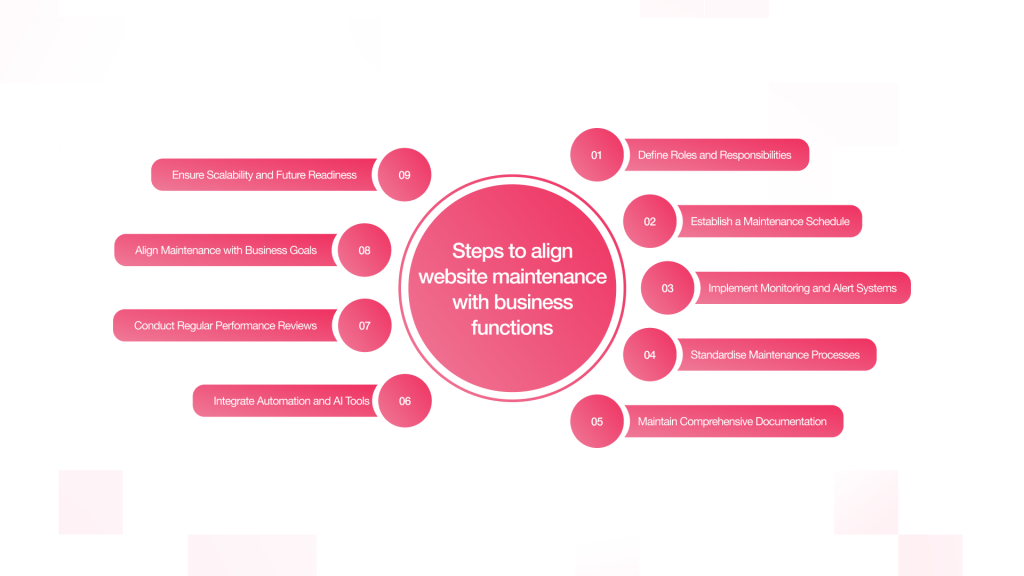
1. Define Roles and Responsibilities
A website needs its owner to create a specific ownership structure which enables effective maintenance. The situation creates problems for you because you need to trust the work, yet you do not know whom you should trust. Some tasks may be completed, but others will remain incomplete.
Key Role Allocations:
- Technical Team / Developers: Technical teams or developers do things like make updates, fix bugs, make things work better, and add security patches.
- SEO Specialists: They check website positions on search engine results pages. They resolve technical SEO problems. They enhance website content.
- Content Managers: Keep the website, blogs, and landing pages up to date
- System Administrators: They handle the hosting, backups, and how well the server works.
For the small and mid-sized businesses, working with a special team can help you get skills from different fields, without adding extra people or costs to your staff.
2. Establish a Maintenance Schedule
The establishment of a maintenance schedule requires the development of a document which will ensure that all maintenance tasks are performed in a consistent manner throughout their execution. The system prevents people from needing to make immediate decisions which require urgent action.
Recommended Structure:
- Weekly: Monitoring, backups, and minor fixes
- Monthly: Updates, better performance, and checking data
- Every three months: Audits, UX updates, and making changes to the strategy
- Every year, there is a full review. The team may also change the design. They look at the main setup too.
You can monitor your work progress by using project management software such as Jira or Trello or Asana. The tools enable all team members to monitor project progress throughout the entire process.
3. Implement Monitoring and Alert Systems
Continuous monitoring is essential because it enables you to discover problems which can jeopardise user safety.
Key Monitoring Areas:
- Uptime Monitoring: The system will send you notifications whenever your server goes down or when your system encounters operational problems.
- Performance Monitoring: The system evaluates your website loading time together with Core Web Vitals performance indicators.
- Security Monitoring: The security system detects malware and monitors all unauthorised access attempts.
- Error Tracking: The system detects all nonfunctional elements which include broken pages and malfunctioning scripts and other elements.
Recommended Approach:
Set up tools that send fast alerts by email or on your dashboard. This helps you act fast and keeps problems small.
4. Standardise Maintenance Processes
Writing down standard operating procedures helps cut down mistakes. It also makes sure that things are done the same way every time.
Includes:
- Here is how you can update your CMS and plugins, step by step.
- Backup protocols before changes
- Testing the way things work in a test setup before it goes live.
- Rollback plans for handling failures
Standardisation makes it easy to deal with staff changes. It also helps to keep the same level of quality over time.
5. Maintain Comprehensive Documentation
Documentation acts as the main source where you can find all information about the work that needs to be done.
What to Document:
- Logs need three elements which include the date of updates and the details of changes and the name of the person who made them.
- Documentation which shows when backups will be made and where backup data will be stored.
- Record every security incident which includes both the incident itself and the methods used to resolve it.
- Performance benchmarks together with all historical performance data.
Enables you to solve problems at higher speed while it provides better results and prepares you for audit assessments.
6. Integrate Automation and AI Tools
Today, taking care of modern websites depends a lot on Automation and AI. The tools provide assistance to users by decreasing their need for manual tasks while enabling them to complete tasks more quickly.
Applications:
- Automated backups and updates
- AI-driven performance optimisation suggestions
- Predictive alerts for potential failures
- Automated SEO audits and recommendations
Using these tools helps a business move from fixing things after they break to making sure things work well all the time.
7. Conduct Regular Performance Reviews
You should always check the work to see how it is doing using real numbers.
Key KPIs to Track:
- Page load speed
- Website uptime percentage
- Bounce rate and user engagement
- Conversion rates
- Search engine rankings
Quarterly performance reviews help find trends and show where things are not working well. They also point out things that do not work well and can show the way to better changes.
8. Align Maintenance with Business Goals
Keeping a website up and running should help the group get to bigger goals. It should not be done on its own and needs to be linked with these goals.
This includes:
- Making your marketing better with improved landing pages
- Getting set for more traffic with stronger systems
- Improving user experience to boost conversions
- Helping connect with new tools and platforms
This close match helps make sure that the work to keep things running leads right to business growth and more return on investment.
9. Ensure Scalability and Future Readiness
The requirements for a business website will change when the company expands its operations. The maintenance system needs to develop its capacity because the organisation will require additional resources to operate its business activities.
Scalability Considerations:
- Upgrade its current hosting infrastructure
- Create software systems through their modular development approach
- Establish systems that can handle both traffic and data expansion
- Establish systems that will maintain compatibility with their upcoming technological developments
A future-proof way can help work get better and stop it from slowing down. The solution provides assistive capabilities which will help maintain operational activities through time. The future-proof solution can help keep things running well. The system enables continuous growth while it actively prevents any performance degradation.
Conclusion
You need a Website Maintenance Checklist because it helps you maintain your website safe and operational through 2026. Businesses should make sure to check their site often with the help of Automation and AI. The business will benefit from their ability to prevent problems and create better user experiences and develop their business over time.
Website maintenance needs to be performed regularly because it protects your website from shutdowns while establishing your site as a trustworthy online platform. Your website will achieve its business objectives when you follow the necessary procedures.