
 AI
Development
AI
Development
 Shopify
 Magento Open Source
 Adobe Commerce
 WordPress
 B2B Excellence





What Are Core Web Vitals? LCP, INP and CLS Explained
Core Web Vitals are Google’s three-page experience metrics: Largest Contentful Paint (LCP), Interaction to Next Paint (INP) and Cumulative Layout Shift (CLS). A page passes when LCP is 2.5 seconds or less, INP is 200 milliseconds or less and CLS is below 0.1, measured on real users at the 75th percentile. Google introduced these metrics through its page experience update, which rolled out between June and August 2021 and was revised in March 2024 when INP replaced FID.
- September 14, 2026
- by Tarun
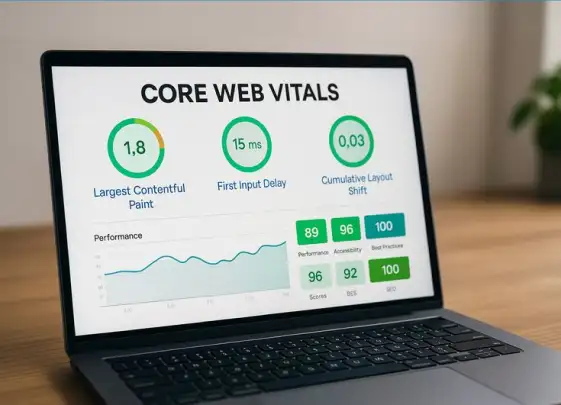
Core Web Vitals are Google’s key metrics for measuring real-world page experience, covering loading performance, responsiveness and visual stability. The three current metrics are Largest Contentful Paint (LCP), Interaction to Next Paint (INP) and Cumulative Layout Shift (CLS).
For website owners, these metrics matter because they show whether a page feels fast, responds quickly when someone interacts with it and remains visually stable while loading. They also form part of Google’s page experience signals used in Search.
But Core Web Vitals have changed since they were first introduced. First Input Delay (FID) was retired in March 2024 and replaced by INP, making it important to use the current metrics when assessing website performance.


Key takeaways
- Core Web Vitals are LCP (loading), INP (responsiveness) and CLS (visual stability).
- Passing thresholds: LCP ≤ 2.5s, INP ≤ 200ms, CLS ≤ 0.1.
- All three are measured on real users at the 75th percentile, not in a lab.
- FID was retired on 12 March 2024 and replaced by INP.
- Check your scores in PageSpeed Insights, Search Console and CrUX.
What Are Core Web Vitals?
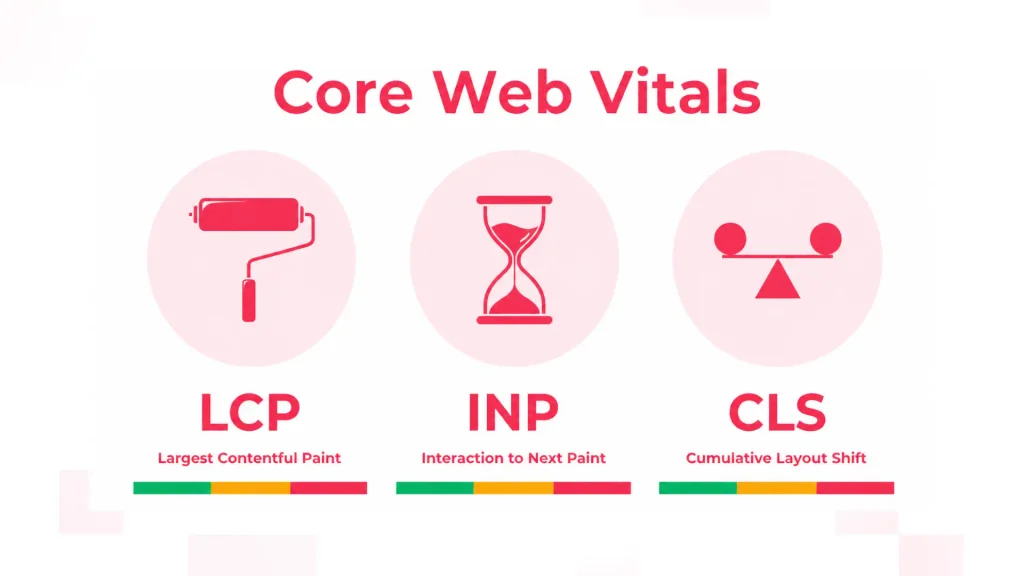
Core Web Vitals are three metrics that measure how fast a page loads, how quickly it responds to a tap or click, and how stable the layout stays while loading.
Each metric focuses on a particular area:
- Loading: LCP, or Largest Contentful Paint
- Responsiveness: INP, or Interaction to Next Paint
- Visual stability: CLS, or Cumulative Layout Shift
Google evaluates these metrics using real-user data, with the Core Web Vitals thresholds assessed at the 75th percentile of page loads.
What Is Largest Contentful Paint (LCP)?
LCP, or Largest Contentful Paint, measures the perceived loading performance of a page. More specifically, it measures how long it takes for the largest visible content element to render.
For LCP: Good is 2.5 seconds or less. Needs improvement is over 2.5 seconds up to 4 seconds. Poor is over 4 seconds.
LCP builds upon existing page-rendering metrics used by tools such as PageSpeed Insights and Lighthouse. It is particularly useful because the faster the main content becomes visible, the sooner users can understand what the page offers.
Google considers an LCP of 2.5 seconds or less good at the 75th percentile of real-user page loads.
What Is Interaction to Next Paint (INP)?
Interaction to Next Paint, or INP, measures how responsive a page is to user interactions throughout the page visit.
Unlike the old First Input Delay (FID), INP does not look only at the first interaction. It considers interactions such as clicks, taps and keyboard input and accounts for the delay before processing, the processing time itself and the time needed for the browser to present the resulting visual update.
Google retired FID as a Core Web Vital on 12 March 2024 and replaced it with INP. FID only measured the delay before the browser began processing the first interaction. It did not tell you how long that interaction took to complete, meaning a page could have a good FID score while still feeling slow or unresponsive.
For INP:
- Good: 200 milliseconds or less
- Needs improvement: over 200ms and up to 500ms
- Poor: over 500ms
These thresholds are assessed using real-user data at the 75th percentile.
What Is Cumulative Layout Shift (CLS)?
CLS is an assessment of the visual stability of a page. It checks how often and how far elements such as buttons, images and copy shift around while a page loads.
For CLS: Good is 0.1 or less. Needs improvement is above 0.1 and up to 0.25. Poor is above 0.25.
Unexpected movement can be more than annoying. For example, if a button shifts just as someone is about to click it, they could accidentally select a completely different action.
All three Core Web Vitals thresholds are judged on real-user data at the 75th percentile of page loads.
What Is Google’s Page Experience Update?
The page experience update brought Core Web Vitals together with existing page experience signals to give Google a broader understanding of how users experience a page.
These signals include HTTPS, mobile-friendliness, safe browsing, intrusive interstitial guidelines and Core Web Vitals.
Importantly, page experience is only one part of Google’s ranking systems. Strong Core Web Vitals do not automatically guarantee higher rankings, particularly when another page provides more relevant or useful content.
When Did Google’s Page Experience Update Roll Out?
The page experience update is no longer a future event.
Google began rolling out the page experience update in June 2021, with the rollout completed by the end of August 2021. Core Web Vitals therefore need to be treated as established signals rather than an upcoming SEO change.
The original rollout was phased so website owners had time to understand the signals, use Google’s reporting tools and address performance issues.
That waiting period has long passed. If your Core Web Vitals report shows URLs marked as needing improvement or poor, there is no reason to postpone investigation.
Which Metrics Are Not Core Web Vitals?
Core Web Vitals are important, but they are not the only website performance metrics worth tracking.
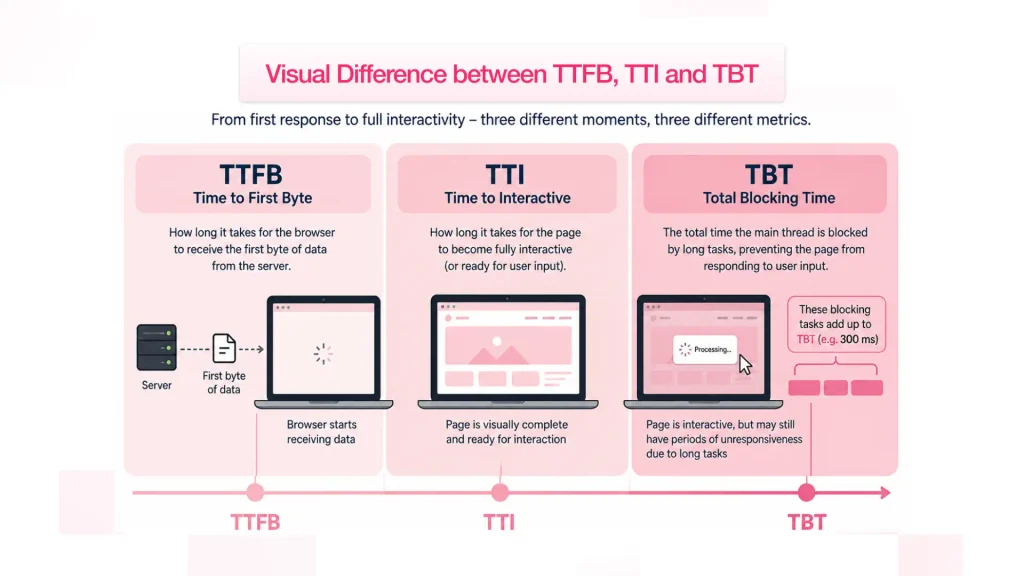
Other useful supporting metrics include:
- Time to First Byte (TTFB): Measures how quickly the server begins responding to a request.
- Time to Interactive (TTI): Measured when a page became reliably responsive to input. Google deprecated TTI in Lighthouse 10, so use Total Blocking Time and INP instead.
- Total Blocking Time (TBT): Helps identify how long JavaScript and other main-thread work prevent a page from responding to users.
These metrics can help developers diagnose the reasons behind poor Core Web Vitals, even though they are not themselves Core Web Vitals.
Are Core Web Vitals a Google Ranking Factor?
Core Web Vitals are already part of Google’s page experience ranking signals. They became part of the page experience rollout in 2021.
However, this does not mean there is a simple Core Web Vitals score that determines where a page ranks. Google considers many signals, with relevance and useful content remaining fundamental.
Think of Core Web Vitals as part of the wider picture. If two pages provide similarly useful answers, a smoother and more responsive experience can help create a better overall page experience for visitors.
Why Do Core Web Vitals Matter?
Google continues to prioritise useful and relevant pages, but page experience matters because it affects what happens after someone arrives on your website.
Slow loading, delayed interactions and unexpected layout movement can make users hesitate, abandon a page or struggle to complete an action.
Core Web Vitals give a web development agency a consistent benchmark for identifying these problems. That makes it easier to focus resources on practical improvements, such as optimising images, reducing unnecessary JavaScript or improving server response times.
How Do You Measure Core Web Vitals in 2026?
There are three useful places to measure Core Web Vitals: PageSpeed Insights, Google Search Console and Chrome UX Report (CrUX).
PageSpeed Insights combines real-user field data with Lighthouse lab testing, giving you both performance data and diagnostic recommendations.
Google Search Console’s Core Web Vitals report is useful for monitoring groups of URLs across your website and identifying areas that need attention.
CrUX is Google’s Chrome User Experience Report and provides real-world field data from Chrome users. This distinction matters because Google’s ranking assessment is based on field data, not a Lighthouse lab score. Lighthouse remains extremely useful for diagnosing what might be causing a problem, but laboratory conditions are different from the experiences of real visitors.
INP deserves particular attention on JavaScript-heavy websites. Complex scripts and long tasks can delay interactions, making the page feel sluggish even when its initial loading performance looks reasonable.
Conclusion
Last updated September 2026. Core Web Vitals are now LCP, INP and CLS. FID was retired on 12 March 2024.
For website owners, the message is straightforward: measure what real users experience, understand where the problems are and improve the pages that matter most.
A faster, more stable and responsive website is not simply about chasing an SEO score. It is about making the journey from landing on a page to completing an action feel effortless.
Run your top five pages through PageSpeed Insights, then check the Core Web Vitals report in Search Console. If a page is failing, get a free Core Web Vitals audit from our team.
Core Web Vitals FAQs: Everything You Need to Know
The three Core Web Vitals are LCP, INP and CLS. They measure loading performance, responsiveness and visual stability respectively.
Google replaced First Input Delay (FID) with Interaction to Next Paint (INP) on 12 March 2024.
An INP of 200 milliseconds or less is considered good. Over 200ms to 500ms needs improvement, while over 500ms is poor.
A good LCP is 2.5 seconds or less, measured at the 75th percentile of real-user page loads.
A good CLS score is below 0.1, measured at the 75th percentile of real-user page loads.
Yes. Core Web Vitals are part of Google’s page experience ranking signals, which were rolled out from June 2021.
You can use PageSpeed Insights, Google Search Console and Chrome UX Report (CrUX). PageSpeed Insights also provides Lighthouse lab diagnostics for troubleshooting performance issues.