


 AI
Development
AI
Development
 Shopify
 Magento Open Source
 Adobe Commerce
 WordPress
 B2B Excellence





Critical PHP Vulnerabilities Check: A Business Owner’s Checklist (October 2026)


 Last updated on 23 Oct 2026
 LinkedIn
 Twitter
 Facebook

 Summarise this blog
 Summarise
On 21 October 2026, the PHP development team released security updates addressing two critical vulnerabilities, CVE-2026-109618 and CVE-2026-109619. Both carry a CVSS score of 9.2 and could allow unauthenticated attackers to execute code remotely on affected servers.(PHP security advisory)
A website can look perfectly normal while a serious security flaw puts its data, customers and operations at risk. That is why the recent critical PHP vulnerabilities deserve immediate attention from business owners.
If your website uses PHP, WordPress or another PHP-based platform, checking your server’s exposure should be a priority. This checklist explains what to review, which updates matter and how to reduce risk.
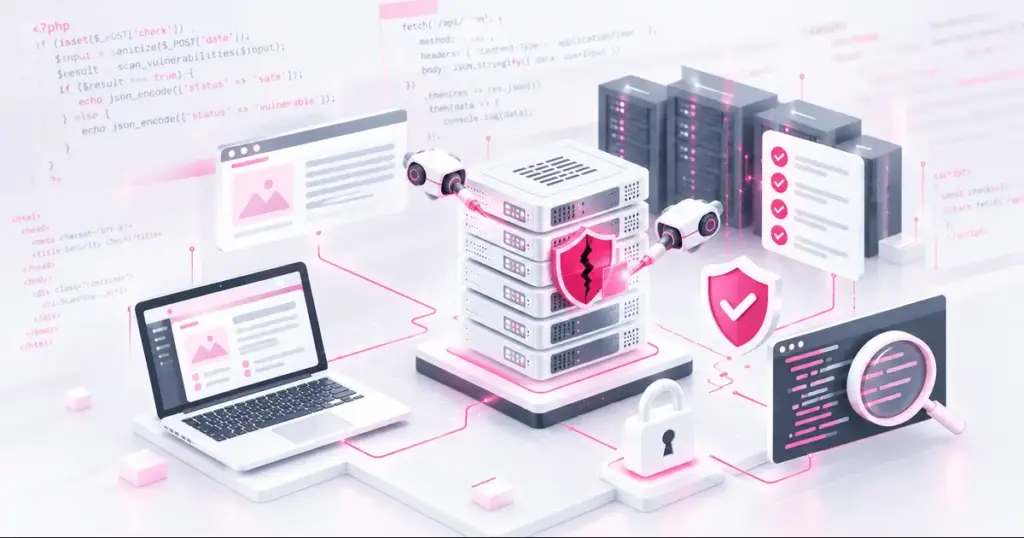
What Are the Latest Critical PHP Vulnerabilities?
PHP vulnerabilities are weaknesses in the PHP programming language, its runtime or related components that attackers may exploit to compromise a website or server.
The latest PHP security incident involves two critical flaws:
- CVE-2026-109618: A memory-handling flaw linked to out-of-memory errors that can potentially enable remote code execution.
- CVE-2026-109619: A memory-management issue involving stale internal state that can also potentially enable remote code execution.
Successful exploitation could give attackers the ability to run unauthorised commands or compromise sensitive information. The risk extends to internet-facing PHP installations, including websites and online stores built with WordPress, WooCommerce, Drupal and Joomla. Source: CERT-EU advisory
PHP Vulnerabilities Checklist for Business Owners
Use the following checklist to assess your website’s exposure and prioritise remediation.
1. Check Your PHP Version
Your first step is to identify the PHP version running on your production server, staging environment and any other internet-facing application.
The security releases addressing the latest vulnerabilities are:
- PHP 8.5.12
- PHP 8.4.27
- PHP 8.3.36
- PHP 8.2.35
Earlier versions in these release branches are affected. PHP 8.1 and older releases are also affected and no longer receive security updates from the PHP project. Source: Official PHP advisory.
Action: Ask your hosting provider or website maintenance and support team to verify the installed version and upgrade to an appropriate patched, supported release.
2. Update WordPress, Plugins and Themes
Updating PHP alone does not address every website security risk. Outdated plugins, themes and extensions can introduce separate vulnerabilities.
Check that you have:
- Updated WordPress core or your relevant CMS.
- Installed supported versions of plugins, themes and extensions.
- Removed unused or abandoned components.
- Checked compatibility before deploying updates.
Action: Create a verified backup and test updates in a staging environment where possible before deploying them to production.
3. Review Your Hosting Environment
Your website may use a PHP version different from the one shown in your local website development environment. Multiple applications, containers or server configurations may also run separate PHP instances.
Ask your hosting provider to confirm:
- Which PHP version serves live web requests.
- Whether all PHP workers and application containers are patched.
- Whether any legacy applications still use unsupported PHP releases.
- Whether temporary isolation is needed if patching cannot happen immediately.
Action: Prioritise public-facing systems and services that process untrusted user input.
4. Check for Signs of Compromise
Installing a security patch does not prove that attackers have not already accessed your server.
Review server, application and authentication logs for suspicious activity, including:
- Unexpected processes or commands launched by PHP.
- Unfamiliar files in website directories.
- New administrator accounts or changes to user permissions.
- Unusual outbound network connections.
- Unexpected changes to website files or configurations.
Action: If you identify suspicious activity, involve a qualified security professional to investigate before assuming the issue is resolved.
5. Strengthen Website Access Controls
PHP security is only one part of your wider website security strategy. Weak credentials and excessive permissions can increase the impact of a successful attack.
Check that you have:
- Enabled multi-factor authentication for administrator accounts.
- Removed inactive accounts and unnecessary access permissions.
- Restricted access to hosting panels and server management tools.
- Stored backups separately from the production environment.
- Reviewed file permissions and secret-management practices.
Action: Follow the principle of least privilege, giving each account and application only the access it needs.
6. Review Monitoring and Recovery Plans
Make sure you know your response time to when an attack occurs and how long it would take to bring a site back up.
Ensure your monitoring is in place and that your backups are being tested and who will be responsible for restoring them. Have a procedure in place to apply critical patches and make a note of what was patched.
Action: Note when patch was applied, what systems were effected and if any further investigation is needed.
What Should You Do If Your Website Is Vulnerable?
Prioritise the following response:
- Know what you have exposed. Know what version of PHP you are running and on what servers or apps.
- Update. Apply patches and update to a secure supported version of PHP.
- Quarantine if needed. If you can’t get patched right away determine if these boxes need to be quarantined from the internet.
- Check for malicious activity. Make sure nothing bad has happened.
- Ensure you are patched. Once patched verify you are running the patched version in your live environment and continue to monitor.
A WAF may help you prevent this kind of thing from happening. But don’t rely on that instead of patching.
Protect Your Website Before a Vulnerability Becomes a Business Problem
Your website security should never be taken lightly. You have customers trusting you with there information and want to know their safe with you.
Having your website protected from hackers is only half of the job we think you should also know whats going on under the hood of your website. With our PHP Security review we can help identify these old software and how vulnerable your website may be.
Need help reviewing your website’s security? Contact RVS Media to discuss your website maintenance, technical review and security improvement requirements.


